이 글은 이것이 안드로이드다 with 코틀린(개정판)를 참고하여 작성하였습니다.
작성자 : 김민서
개발환경은 Windows, Android Studio입니다.

1. 커스텀 뷰
: 말 그대로 직접 커스텀하여 만든 뷰; View를 상속받아 필요한 뷰를 직접 커스텀해서 사용한다.
0) View, TextView의 이해
: View 클래스 onDraw함수를 이용하여 직접 화면에 그려보자
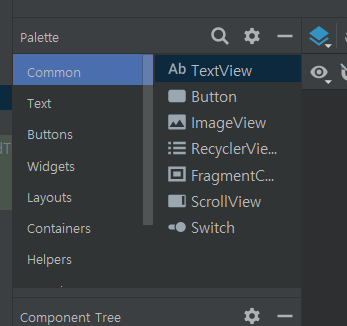
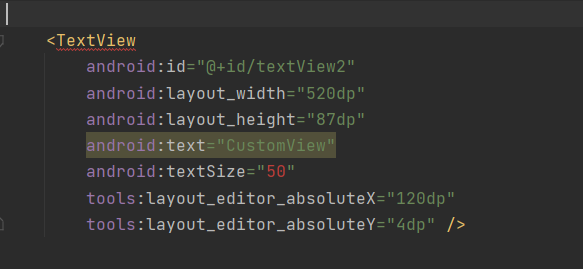
왼쪽그림에서 보이는것처럼 팔레트에서 textView 위젯을 화면에 배치했다면, 이 xml파일을 코드뷰로 봤을때 TextView 태그가 생긴다.
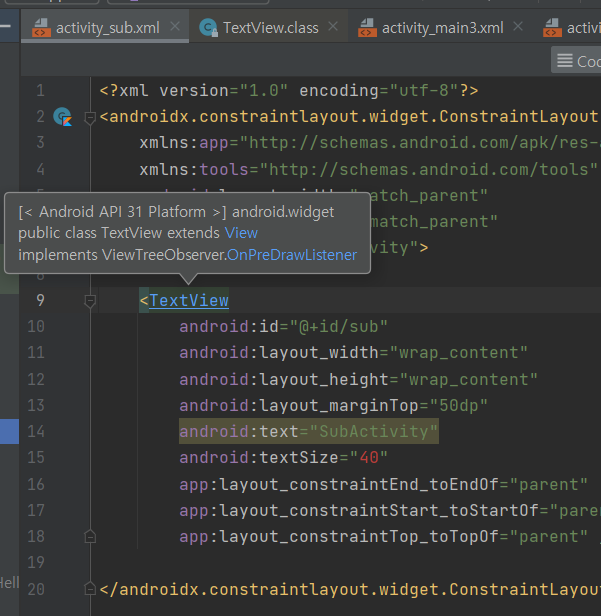
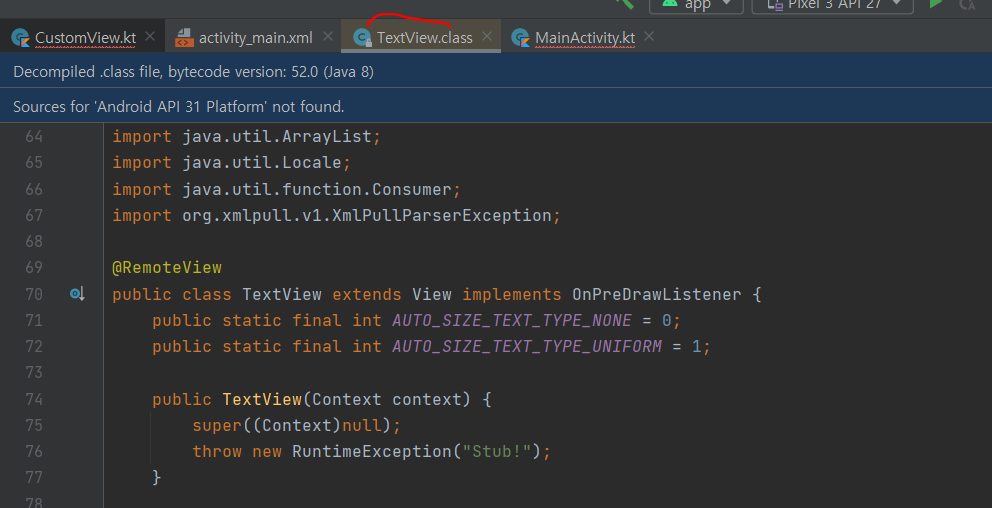
TextView 위젯을 배치했다면 오른쪽 그림과 같이 TextView.class가 자동으로 생긴다. 오른쪽그림의 class코드를 자세히 보면 TextView의 부모클래스는 View위젯이다.
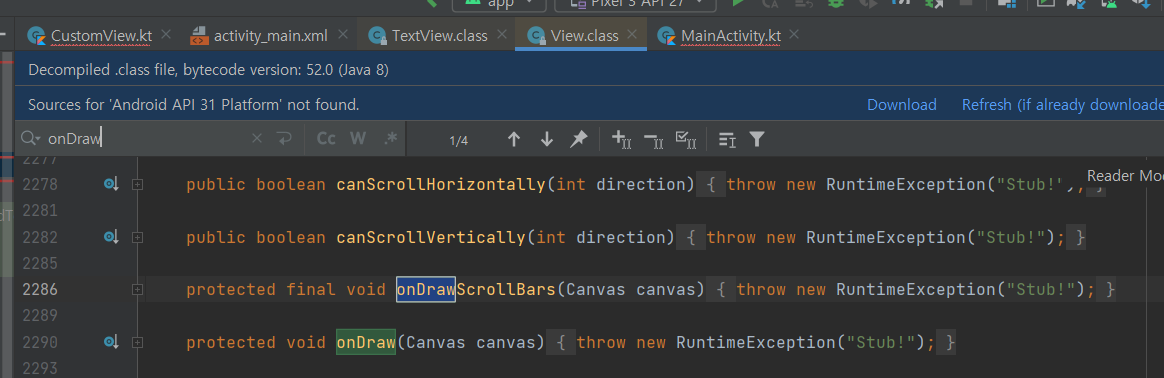
View 위젯도 마찬가지로 클래스가 있는데 이중 onDraw 함수가 canvas에 그려주는 핵심적인 역할을 한다.
1) CustomView 만들기
앞서 언급한 View 위젯을 상속하여 커스텀뷰를 만들어보자

onDraw 함수를 오버라이드해서 사용한다.
(보통 시작하는 키워드가 ‘on’인 수퍼 클래스 메서드를 오버라이드 해서 사용한다고 한다.)
아래의 코드와 같이 도형(원, 네모)를 그릴수있는 customView를 만들어보았다
package com.example.mainactivity

import android.content.Context
import android.graphics.Canvas
import android.graphics.Color
import android.graphics.Paint
import android.view.View

class CustomView(context: Context):View(context) {
    override fun onDraw(canvas: Canvas?) {
        super.onDraw(canvas)
		//색, 글자사이즈등을 지정해주는 Paint class
        val paint = Paint()
        paint.color = Color.BLACK
        paint.textSize= 100f

        canvas?.run {
            drawText("안녕하세요", 0f, 0f, paint)
            customdrawCircle(canvas)
        }
    }
    fun customdrawCircle(canvas: Canvas){
        val paint = Paint()
        paint.style = Paint.Style.FILL
        paint.color = Color.BLUE

        canvas.drawCircle(150f,300f,100f,paint)

    }
    fun customDrawRect(canvas: Canvas){
        val paint = Paint()
        paint.style = Paint.Style.STROKE
        paint.strokeWidth= 20f
        val rect = Rect
        canvas.drawRect(50f, 450f,250f,650f)

    }
}
* canvas: 그릴수있을만큼의 영역
customdrawCircle, customdrawRect와 같은 함수를 이용해 원과 사각형을 그려주었다.
+Paint 클래스를 사용함으로써 색상, 스타일(fill, stroke)등을 설정해주었다.
2. 커스텀 위젯
: 보통 xml design 뷰에서 보이는 button, switch와 같은 위젯을 개발자가 직접 커스텀해서 만드는 위젯이다
강의에서 다룬 예제를 만들어보면서 위젯에 대해 알아보자
[예제] 아래와 같이 텍스트에 날짜를 넣으면 자동으로 delemeter를 붙여서 구분해주는 위젯을 만들어보자
20210110 -> 2021-01-10 ( 여기서 delemeter는 - )
강좌에서는 아래와 같은 순서로 위젯을 만들어보았다.
- 속성 xml 생성(만들 위젯의 속성; attrs.xml)
- 클래스 생성(CustomWidget.kt)
- 만들어진걸 레이아웃에 적용
1. attrs.xml 파일 만들기
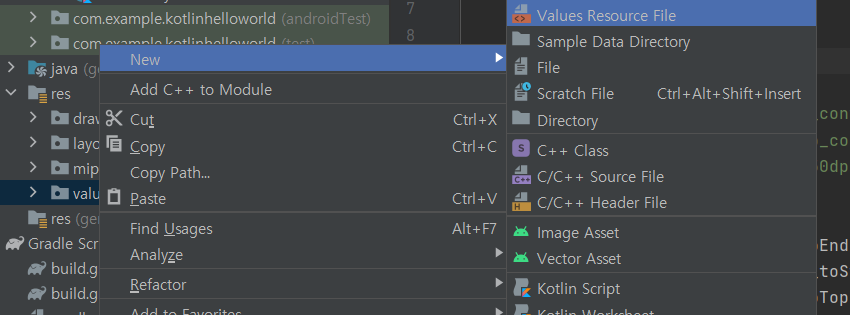
속성 xml 파일은 위와 같이 만들수있다.
<?xml version="1.0" encoding="utf-8"?>
<resources>
    <declare-styleable name="CustomText">
        <attr name="delimeter" format="string" />
    </declare-styleable>
</resources>
2. CustomWidget.kt 생성
커스텀 위젯의 클래스를 만들어보자
import android.context.Context
import android.util.AtrributeSet
import android.appcompat.widget.AppCompatTextView


class CustomText: AppCompatTextView {
  constructor(context: Context) : super(context) {  }
  constructor(context: Context, attrs: AttributeSet) : super(context, attrs) {
      val attrList = context.obtainStyledAttributes(attrs, R.styleable.CustomText)
      val size = attrList.indexCount  // 속성들의 갯수

      for (i in 0 until size) {
          when (attrList.getIndex(i)) {
              R.styleable.CustomText_delimeter -> {
                  attrList.getString(attrList.getIndex(i))?.let { delimeter ->
                      process(delimeter)
                  }
              }
          }
      }
  }
  }
  constructor(context: Context, attrs: AttributeSet, defStyleArr: Int) : super(context, attrs, 1defStyleArr) {  }
  private fun process(DL: String) {
      if (text.length == 8) {
          val first4 = text.substring(0, 4)
          val mid2 = text.substring(4, 6)
          val last2 = text.substring(6)

          text = first4 + DL + mid2 + DL +last2
      }
  }
- 세개의 생성자를 가지고 있다 (context, attrs, defStyleArr)
- process 함수를 통해 text를 재선언해준다
3. layout에 적용 ( main_activity에 적용)
main_activity에 아래오 같은 태그를 추가한다
<com.kodonho.customwidget.Customtext
		android:layout_width:"wrap_content"
        android:layout_height:"wrap_content"
        android:text = "20200401"/>
xml design 뷰로 들어가면 all attributes에 delimeter 속성이추가가 되어있을것이다.
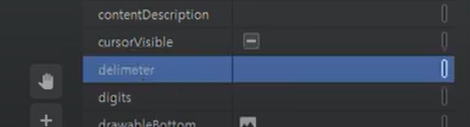
여기에 원하는 기호를 집어넣으면, text에 날짜를 집어넣으면 위와 같이 delimeter로 구분되어서 반환된다.
'GDSC HUFS 3기 > Android with Kotlin Team 2' 카테고리의 다른 글
| [2팀] 16-2 SharedPreference로 상태 값 지정하기 (0) | 2021.11.22 |
|---|---|
| [2팀] 17 Room 데이터베이스 (0) | 2021.11.22 |
| [2팀]14-9,10 화면 구성하기: 탭메뉴 뷰페이저와 프래그먼트 & 리사이클러 뷰 어댑터 (0) | 2021.11.09 |
| [2팀]15-2 BaseActivity 설계하기 (0) | 2021.11.09 |
| [2팀]15 권한처리 Permission (0) | 2021.11.08 |